Every job wants a slightly different you.
The same experience, re-ordered and re-worded for each posting. Read the description, work out what it is really asking for, decide what to lead with. Then do it again tomorrow.
In development — not yet on the App Store or Google Play
Send a posting to AutoStant from wherever you found it and carry on with your day. It reads the role, scores it against your Master Resume, writes the resume and the letter, and shows you every answer before anything reaches an application form.
Real screens from the iOS app below. Nothing here is a mockup.
The part nobody enjoys
The same experience, re-ordered and re-worded for each posting. Read the description, work out what it is really asking for, decide what to lead with. Then do it again tomorrow.
A resume rewritten properly for one role takes an evening. A cover letter takes another. Most people give up and send the same file everywhere, which is exactly what the filter is looking for.
Copy the posting into one tab, your history into another, the answer back into the form. Tomorrow, for the next role, do all of it again from nothing.
A blank box at the end of a long form, when you have already spent an hour on the rest of it.
Which version went where, which ones you heard back on, which are worth chasing. Usually a spreadsheet, usually out of date.
How it works
Every screen below is the shipping iOS app. Pick a step to hold it.
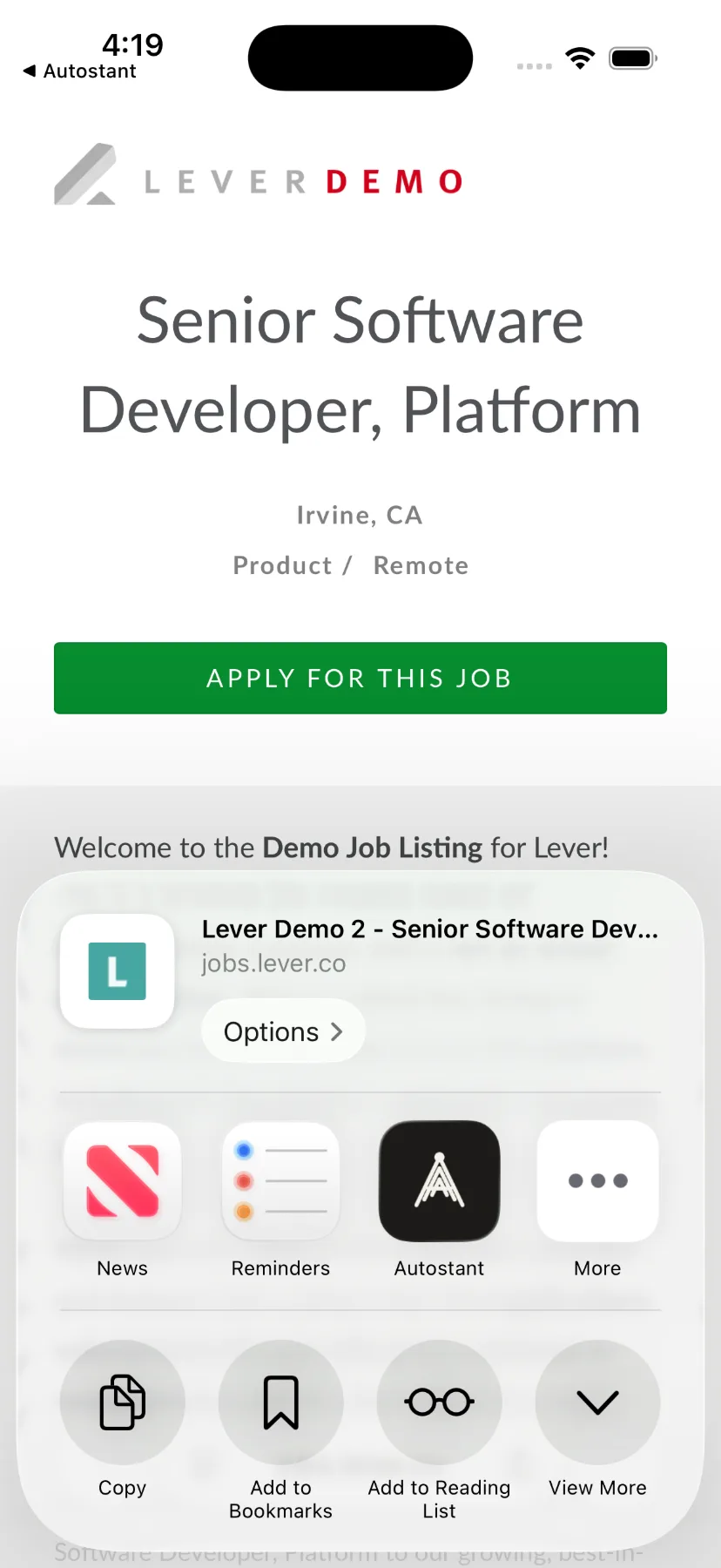
The iOS share sheet, over the posting you were reading.
What is in the app
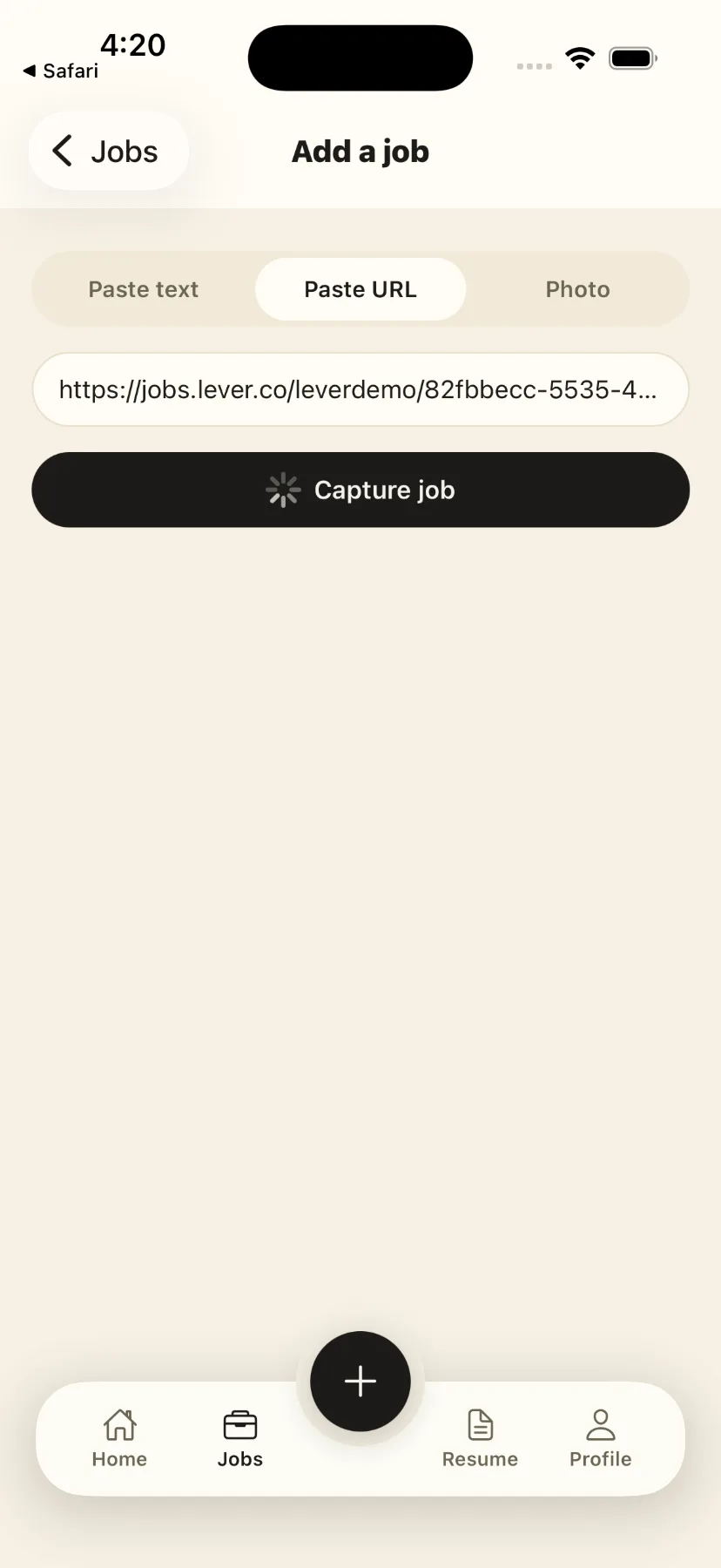
From the share sheet of whatever app you were in. Capture starts on arrival and you are handed back.
For the ones with no shareable link — an email, a PDF, a description someone sent you.
A posting on a screen or on paper. AutoStant reads the text out of the picture.
ATS analysis
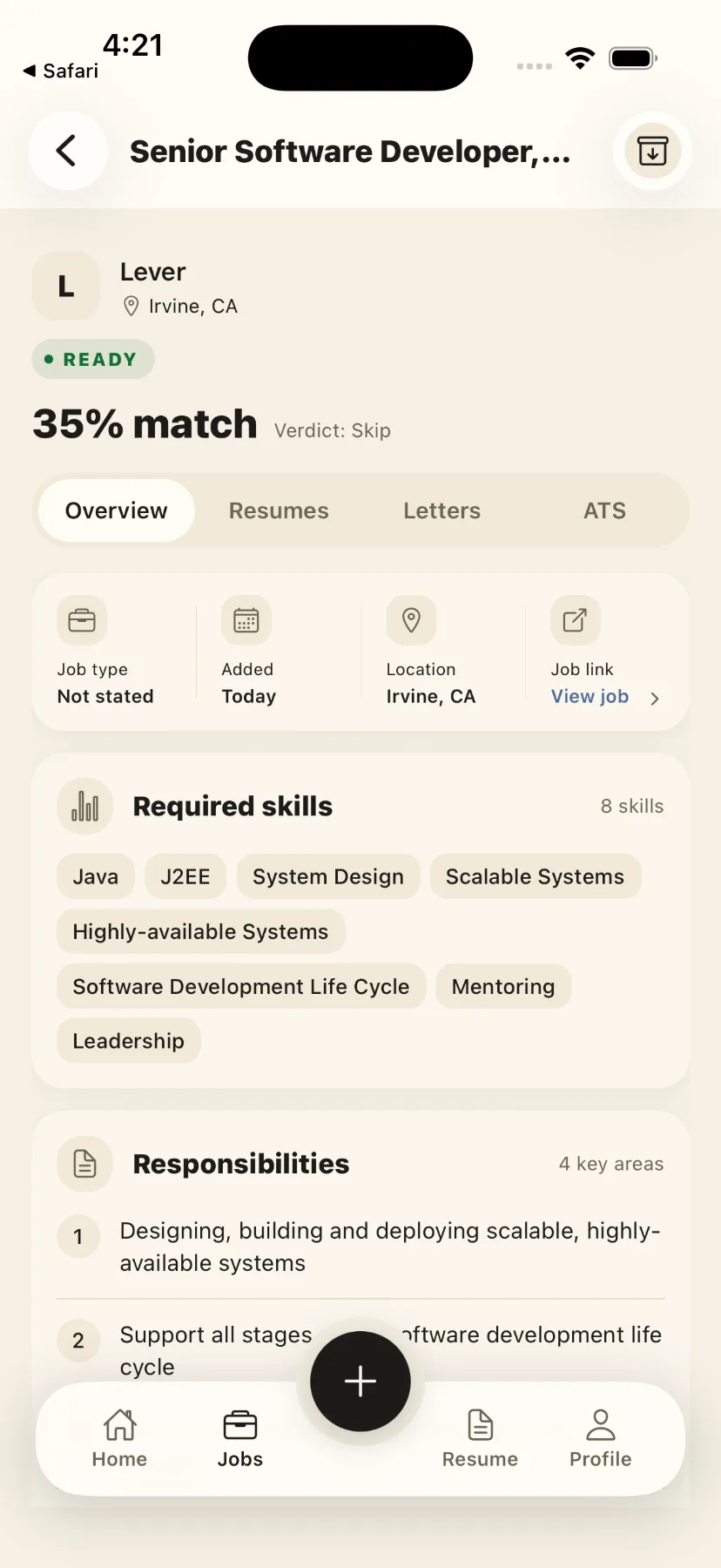
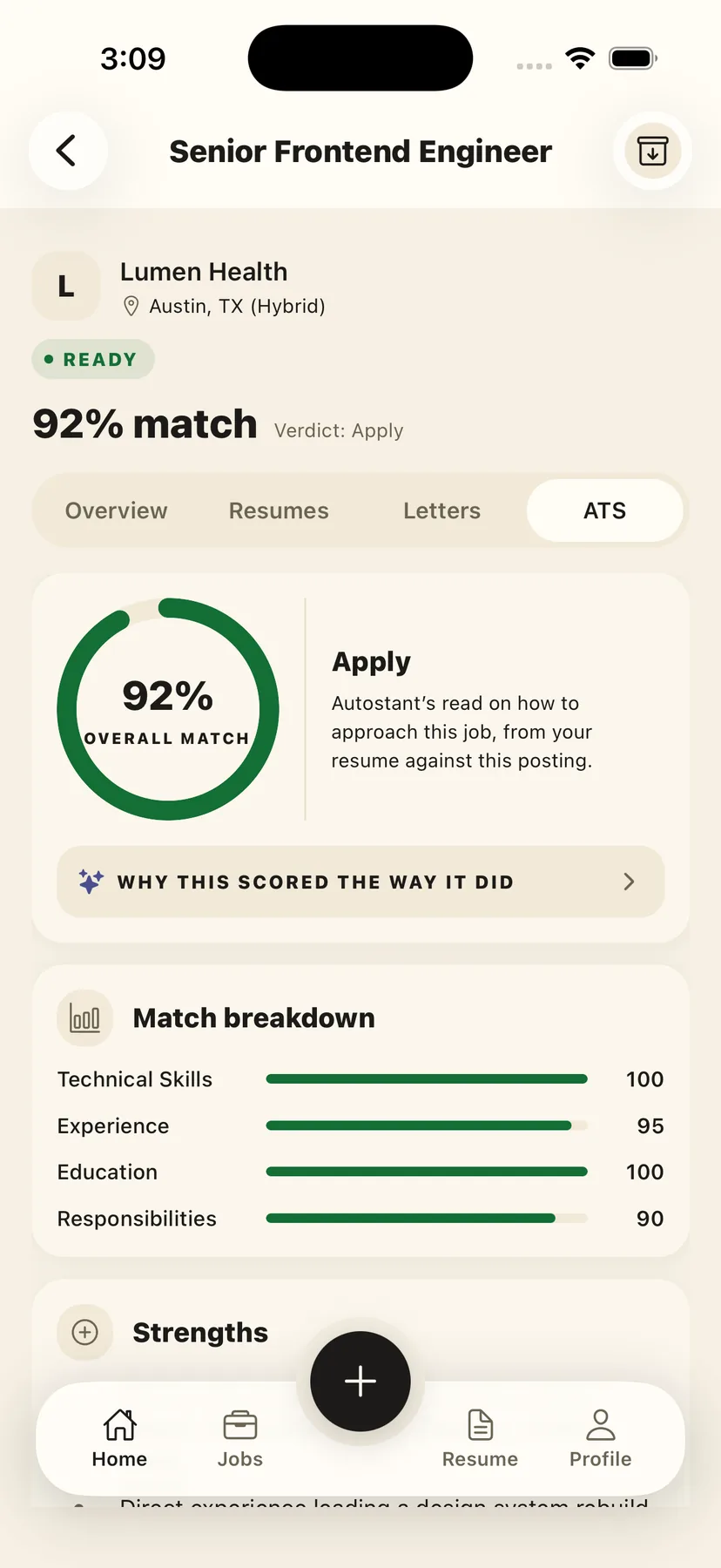
Every captured job is scored against your Master Resume and broken down by what the posting asked for — skills, experience, education, responsibilities — with a verdict attached. The score exists to tell you which postings deserve a tailored resume — this one is a 92% and says Apply; plenty come back at 35% and say Skip, which saves you the evening.
One Master Resume
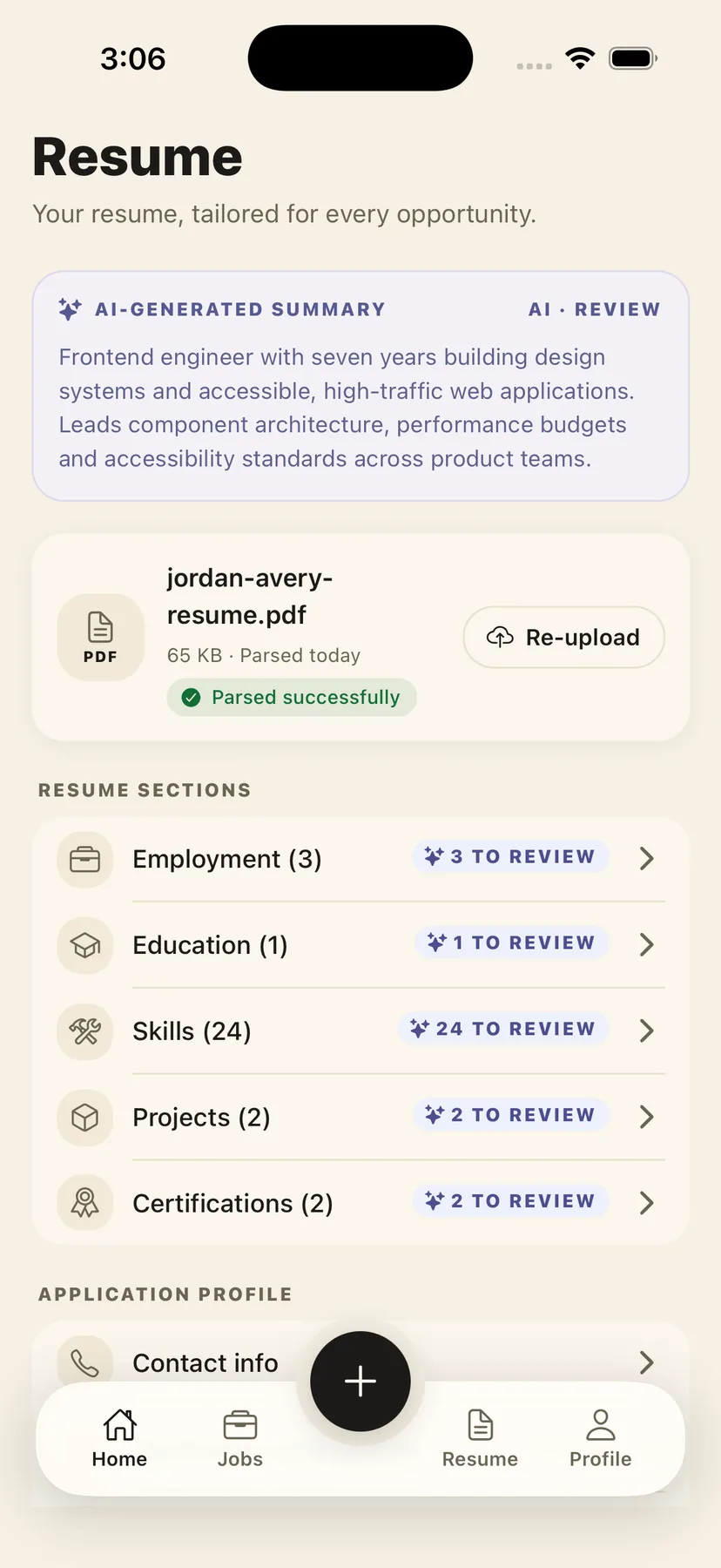
Upload a resume once and AutoStant parses it into sections you can edit — employment, education, skills, projects, certifications. Everything it later generates reads from this, and every generated document is a separate version attached to one job, so the file you wrote stays the file you wrote.
Cover letters
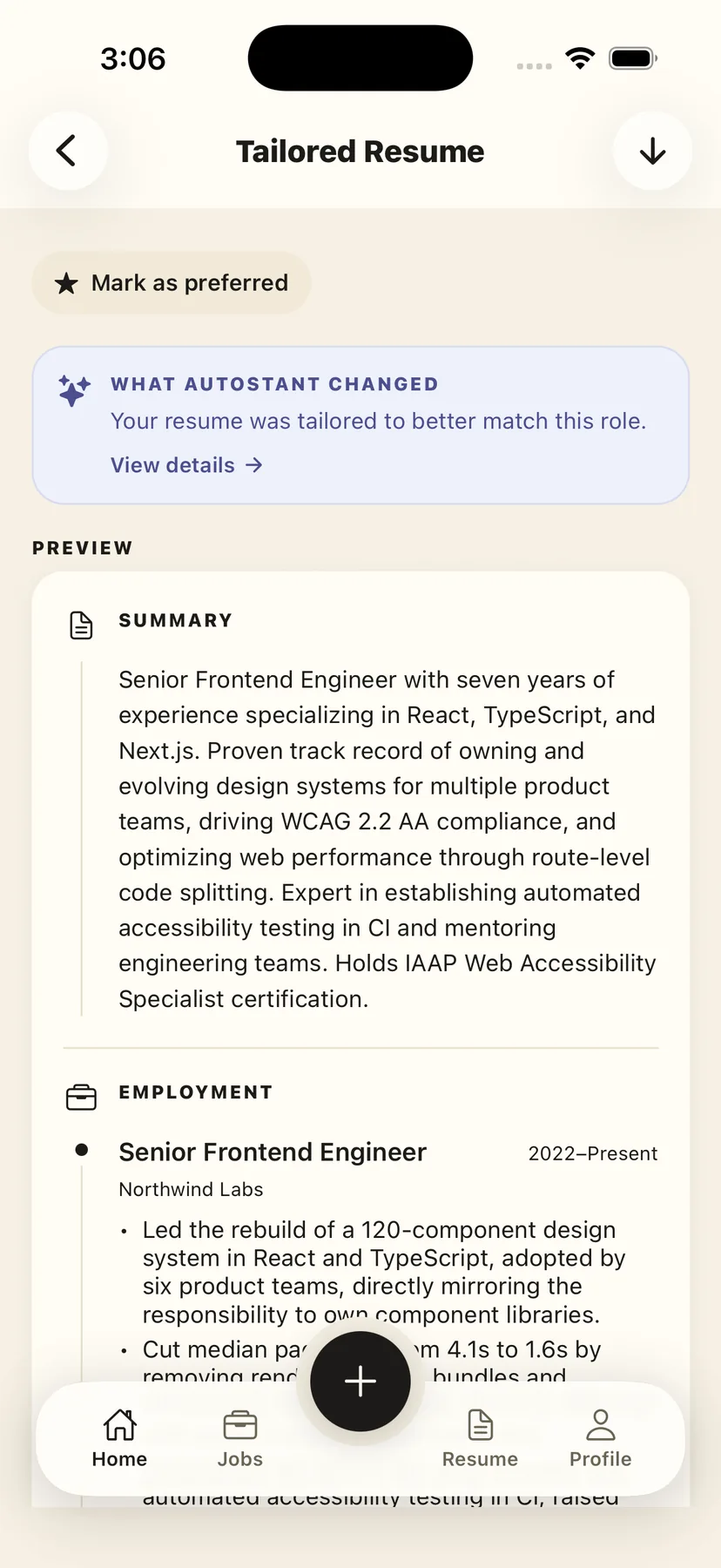
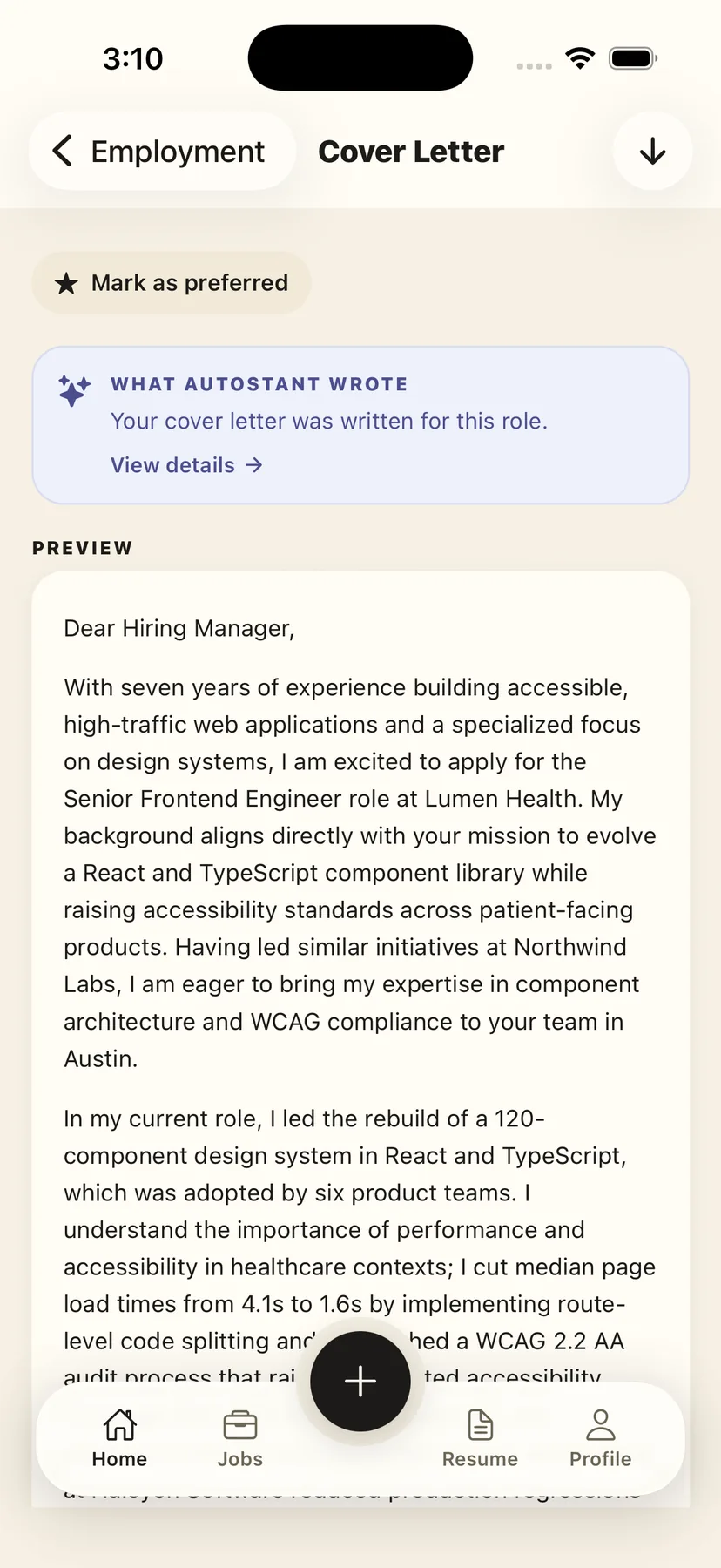
Written against the same posting and the same profile as the tailored resume, in one pass, so the two documents do not contradict each other. Marked as AI-written wherever it appears, and yours to edit or discard before it goes anywhere.
AI-assisted autofill
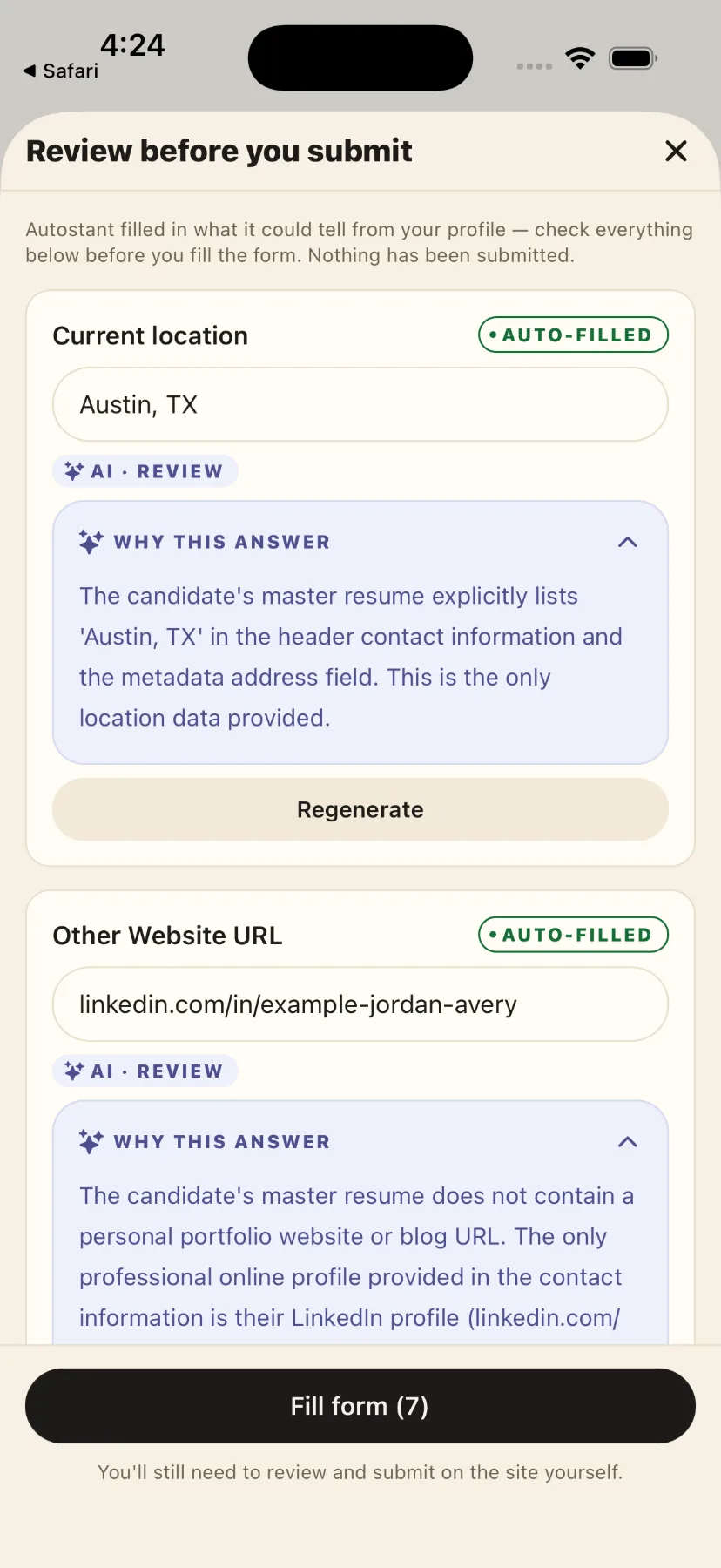
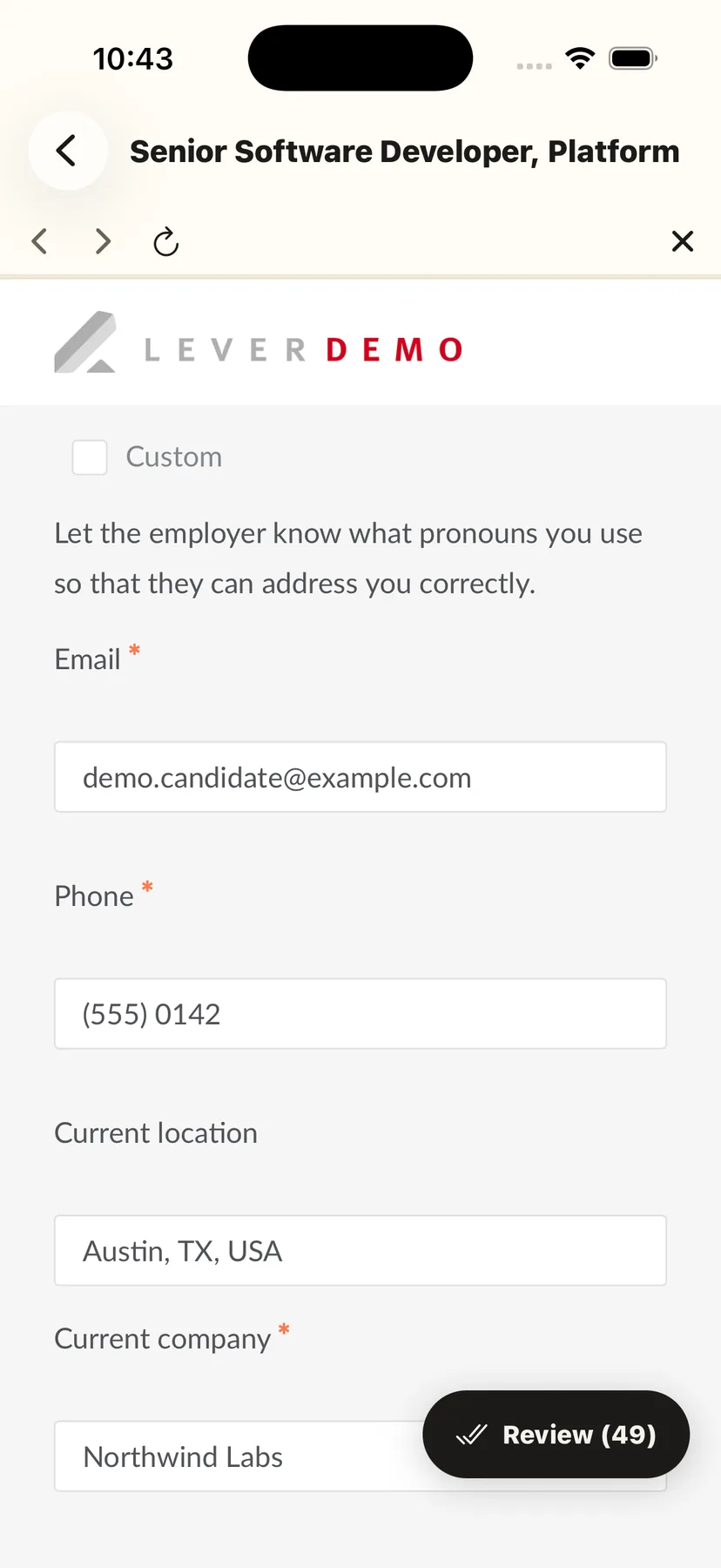
AutoStant opens the employer’s own application form in the app, finds the fields, fills the ones it knows from your profile and drafts the ones that need writing — each answer labelled with where it came from. You read them all in one place, then it writes them into the form. It never presses submit.
When the application is an email
Where the posting says to apply by email, AutoStant opens your own mail app with the address filled in, a subject line, your cover letter as the message and your resume and letter attached. It stops there. The compose window is your mail client’s, the message is editable, and sending it is a button only you can press.
Candidate profile and application preferences — work authorisation, notice period, arrangement, salary — declared once and reused on every form that asks.
Every generated document leaves the app in the format the employer asked for.
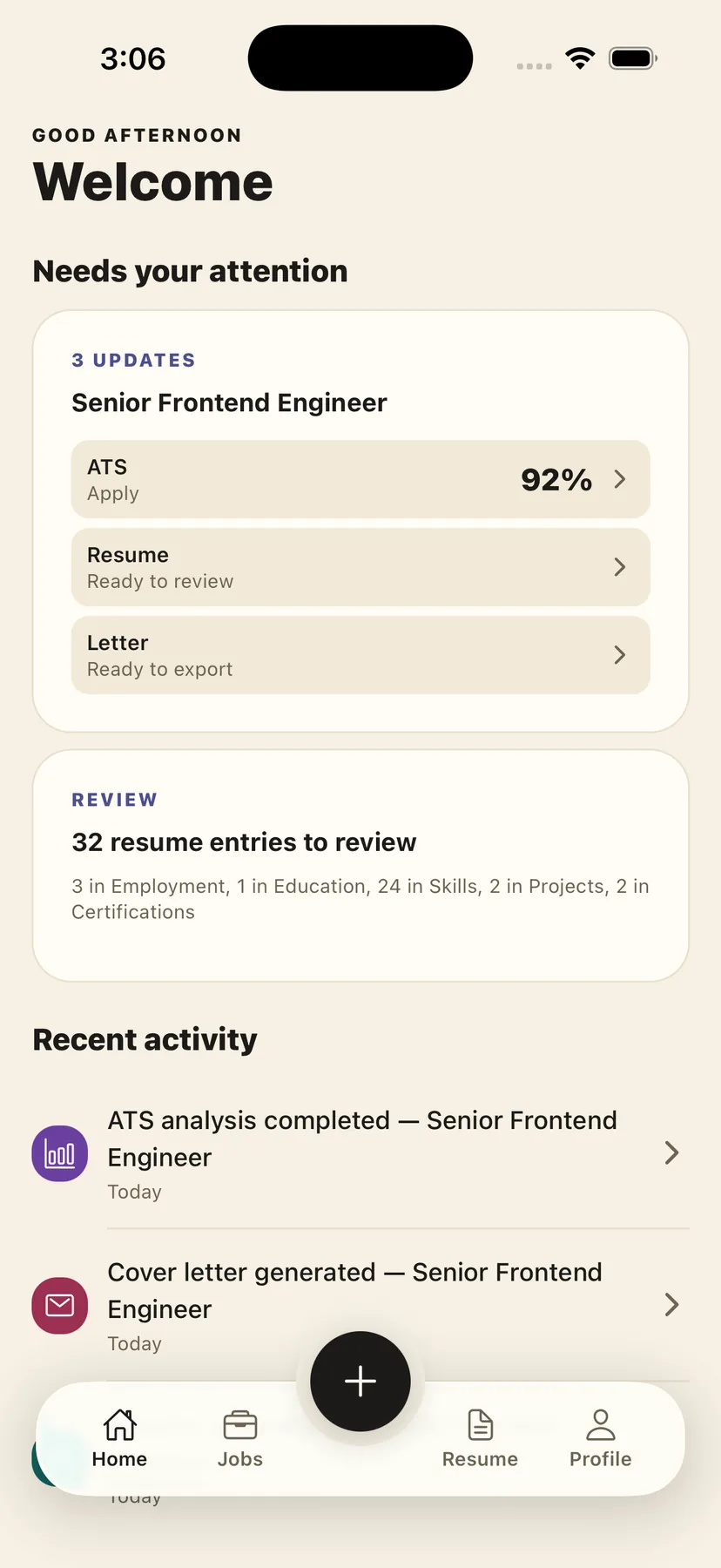
Each captured job keeps its analysis, its documents and its status together, and recent activity says what changed since you last looked.
Honest comparison
A good chat assistant will write you a strong resume if you paste in the job and your history and ask it well. The difference is not how well it writes. It is that it starts from nothing every time, and it cannot touch the form.
| Capability | AutoStant | A general AI chat | By hand |
|---|---|---|---|
| ContextWhat it already knows when you arrive. | |||
| Keeps a structured profile of your career | Built in | Re-paste each session | Not available |
| Holds the job you shared as context | Built in | Paste the posting | By hand |
| Still has both of them tomorrow | Built in | Not available | By hand |
| WorkflowWhat it makes, and whether it keeps it. | |||
| Scores your fit against that job | Built in | If you ask for it | Not available |
| Writes a resume for that specific job | Built in | If you prompt it | By hand |
| Writes a matching cover letter | Built in | If you prompt it | By hand |
| Keeps each document versioned against its job | Built in | Not available | Not available |
| Tracks where each application stands | Built in | Not available | By hand |
| ActionWhether it can touch the employer’s form. | |||
| Finds the fields in the employer’s form | Built in | Not available | Not available |
| Shows every answer before the form is filled | Built in | Not available | Not available |
| Fills the application form itself | Built in | Not available | Not available |
| Prepares the email application, attachments and all | Built in | Write it, attach it | By hand |
| Keeps demographic answers off its servers | Built in | Not available | Not available |
One place that holds the job, the profile and every document made for it.
Context
Workflow
Action
Can write well. Starts from nothing each time, and never touches the form.
Context
Workflow
Action
Complete control, and the same twenty fields typed again for every role.
Context
Workflow
Action
Built into the workflow Possible, but you do it yourself every time Not something it does
Control
The fair question about any tool like this is whether it will fire off a hundred applications with your name on them. It will not, and the reason is structural rather than a promise.
Autofill never writes straight from a generated answer. The review step is not a setting you can switch off.
AutoStant fills the form. Sending it is yours, on the employer’s own page.
Anything AutoStant wrote is visually distinct from anything you wrote, in the app and in review.
Where a posting says to apply by email, AutoStant fills in your own mail app — recipient, subject, letter, attachments — and stops. The compose window is your mail client’s and the send button is yours.
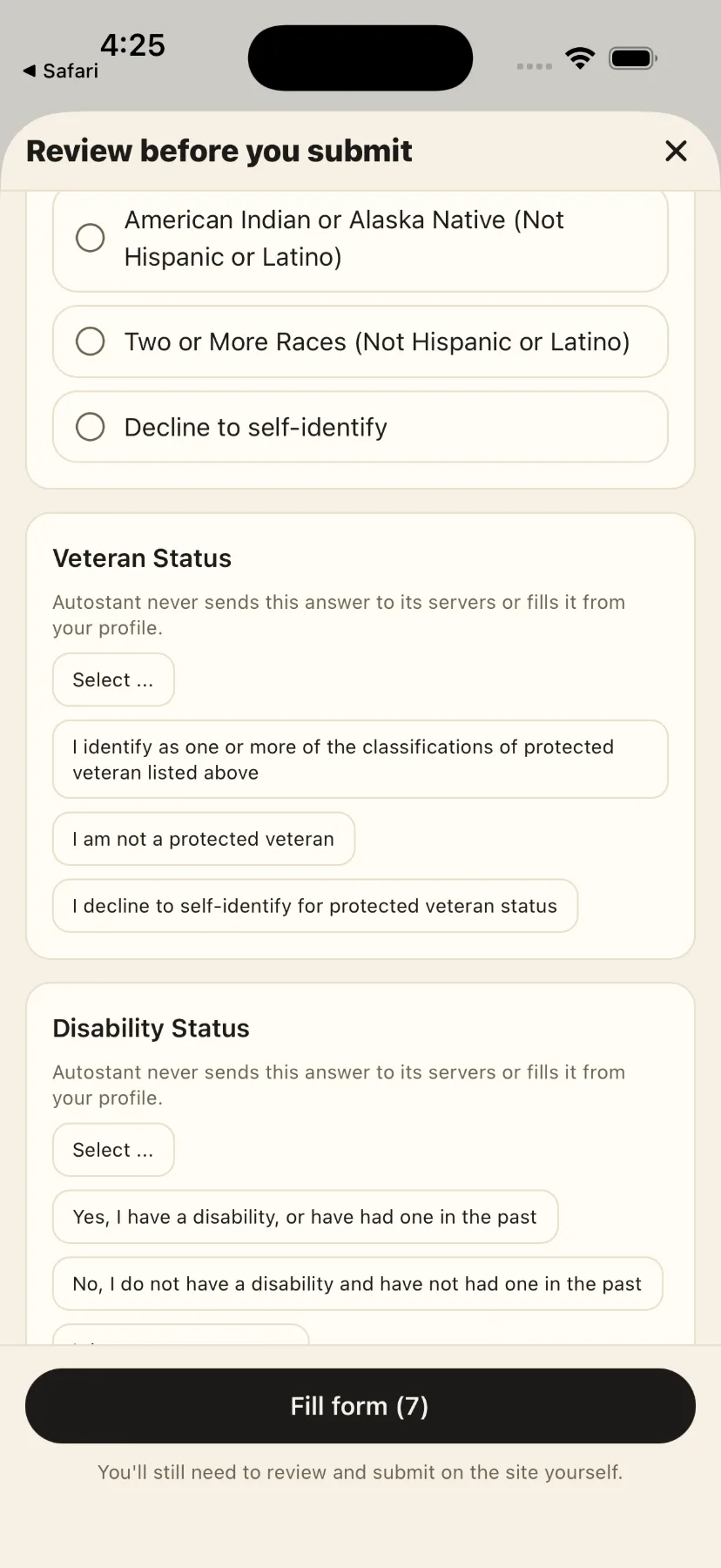
Gender, race, disability, veteran status and pronouns are kept on your device if you choose to save them, are never sent to AutoStant, and the server refuses to store them.
The narrow version of that last point, and what it does not cover, is in the Privacy Policy.
Pricing
These are the planned store prices and the allowances the product already enforces. AutoStant is not on sale yet, and this website takes no payment.
Free
$0
No card. No trial to convert.
Pro
$9.99 per month
or $79.99 per year, billed annually.
FAQ
No. AutoStant prepares the application and fills the form once you have reviewed the answers, but you review and you submit. There is no mode in which it sends an application you have not seen.
The link arrives in AutoStant and capture starts immediately — there is no second tap and no form to fill in. AutoStant acknowledges it, puts you back where you were, and reads the posting in the background. The job appears in your list as soon as it has been read.
No. Your Master Resume is your source profile and only you change it. Every generated resume and cover letter is a separate, versioned document attached to one application.
Your resume file is stored in private Cloudflare R2 storage; its contents, your captured jobs and your generated documents are stored in AutoStant’s database. Preparing an application means sending the relevant text to a third-party AI provider, and a photographed posting goes to an OCR provider. The Privacy Policy names each one and says exactly what reaches it.
Three applications a month, one Master Resume upload, one tailored resume and one cover letter per application, and AI-assisted autofill. Autofill is on both plans deliberately — it is the part that shows you what the product does.
Yes, from your Apple or Google account, the same way you cancel any subscription on those stores. You keep Pro for the rest of the period you have already paid for. There is no free trial to cancel.
Not publicly. AutoStant has not been released on the App Store or Google Play, and this page describes the product ahead of that rather than advertising a download.
Yes, from inside the app, and the deletion is immediate rather than scheduled. The Delete your account page describes exactly what is removed and what is not.
There is no waitlist form on this page, because there is nothing behind one yet. The product, the plans and the privacy behaviour described here are the real ones.